
 · Nativa Dev
You have a blog. Locally everything works ... the admin panel, the article editor, image uploads. You deploy to shared hosting and the first thing you try is saving an article about pacman.
The answer comes back: BLOCKED BY WEB FIREWALL.
So you try an image upload instead. The progress bar fills up, turns red ... and says nothing. Meanwhile the logs gained a line with status 500.
This is not one problem. It is three layers above your application, and each one told you only as much as it had to.
Three messages
| Message | Who says it | What it really means |
|---|---|---|
| BLOCKED BY WEB FIREWALL | the hosting firewall | the POST contains a string that looks like an attack |
| a red bar without words | the form's JS | the error body was discarded before you could read it |
| Invalid file upload | the application | the PHP error code was discarded even earlier |
| tempnam(): open_basedir restriction | the kernel log | the system temp dir sits outside the allowlist |
Read top to bottom ... exactly the order they arrive in.
Message 1 ... the firewall
A technical blog about Linux writes about shell commands. The body of the pacman article contains sudo pacman -S and curl … | bash: the hosting firewall reads the POST before it ever reaches PHP. It sees shell commands in a request and decides: attack.
It is not. It is an article for kids about a trust ladder.
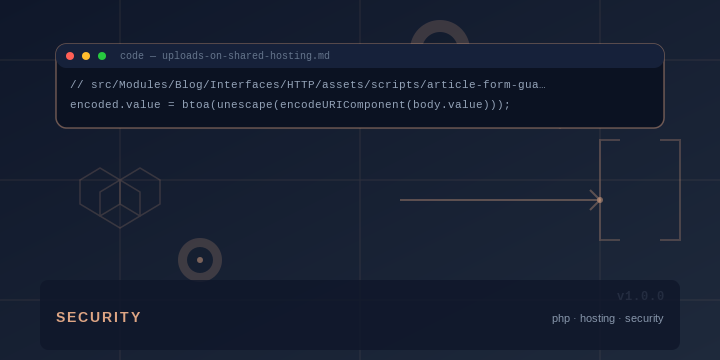
The fix does not fix the firewall, it bypasses the content. The form script encodes the body into base64 right before submit:
// src/Modules/Blog/Interfaces/HTTP/assets/scripts/article-form-guard.js
encoded.value = btoa(unescape(encodeURIComponent(body.value)));
The server decodes it back; a malformed payload falls back to the raw field, so the form still works without JavaScript:
// src/Modules/Blog/Interfaces/HTTP/Actions/ArticleFormPayload.php
$decoded = base64_decode($encoded, true);
if (is_string($decoded)) {
    return $decoded;
}
The firewall sees letters. The article keeps sudo pacman -S exactly as you wrote it.
Message 2 ... the wordless bar
The upload form has its own layers of silence. The first belongs to JS: on failure it threw away responseText: the server did send a message, but the bar just turned red.
The second runs deeper. When a POST body exceeds post_max_size, PHP discards it whole,$_FILES and $_POST both arrive empty and the app-level limit check never runs.
The fix has two steps. The server recognizes a dropped body and answers 413 with a message ... and the form receives the limit the server actually has:
// src/Modules/Media/Interfaces/HTTP/MediaUploadLimits.php
$base64Max = min((int) ($post * 3 / 4), self::APP_LIMIT_BYTES);
The browser then rejects a 12 MB file with a sentence, not a color, before the first byte travels.
Message 3 ... the tmp dir
Once error messages work, the truth surfaces: Invalid file upload → after mapping the PHP codes → Server misconfiguration: the PHP temporary directory is missing.
upload_tmp_dir is PHP_INI_SYSTEM: both .htaccess and .user.ini are out of the game. And our own attempt at a temp file fell too:
[KERNEL] ErrorException: tempnam(): open_basedir restriction in effect.
File(/home/resp/.inetadmin-php-tmp) is not within the allowed path(s) ...
So the bytes travel in a field as base64, and MediaUploadPayload builds a synthetic $_FILES entry from them, the temp file is staged inside the app's own tree, under the allowlist:
// src/Modules/Media/Interfaces/HTTP/MediaUploadPayload.php
$dir = AppPaths::instance()->storage('cache' . DIRECTORY_SEPARATOR . 'media-uploads');
Validation, MIME detection and the audit log run unchanged, the synthetic entry looks like a real $_FILES. A bonus: upload_max_filesize stopped applying along the way ... it only binds multipart staging.
What this trick is not
It is not a hosting repair. Multipart staging stays broken, the base64 path is a workaround, not a fix. A hosting that caps post_max_size low too will not be helped by it ... a ticket remains the way.
Bytes swell by roughly a third, an 8 MB file travels as ~10.7 MB of text, and post_max_size counts the swollen version.
It is not faster. Encoding and decoding are extra work on both sides; for images of a few MB you will not notice.
Without JavaScript it does not work, the fallback stays multipart. Where staging works, the old path works too.
Praktically
- Read the log before you try a second time, the
[KERNEL]lines instorage/logsname the file and the line; the browser only saw a 500. - Give the client the limit the server really has, rejecting with a sentence costs less than rejecting with a color.
- When staging fails, send the bytes in a field, "Diagnostics then answer the question of which layer stays silent ... not the question of what is actually broken."
Sources
- PHP: Error Messages Explained: the list of
UPLOAD_ERR_*codes - PHP: open_basedir: what the allowlist really restricts
- PHP: List of php.ini directives: which setting is
PHP_INI_SYSTEM - PHP: .user.ini: per-directory limits on changes
- Nativa Minimal, docs: the repository this story comes from
Comments (0)
No comments yet — be the first to react.