
 · Nativa Dev
You type bin/cms migrate and need to know nothing else.
The command runs, the migrations apply, done.
But between your finger and SQLite there are four layers: PHP, Symfony Console, MigrateCommand, and the migrator itself.
Which one is it safe to skip? None, and that is what this article is about.
Nobody starts from zero. Every command that runs somewhere was wrapped by someone. The question is not whether something wraps, but where the wrapping starts and where it ends: and what everything along the way took away.
The wrapper that holds files
A container is the simplest wrapper: it takes many files and puts them into one. On Unix that is tar, and since 1979 it has been almost equally simple.
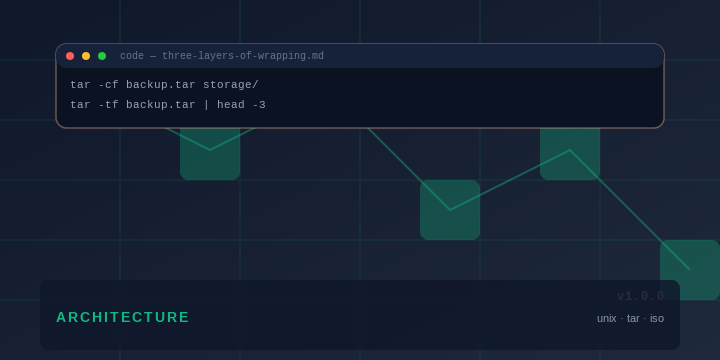
tar -cf backup.tar storage/
tar -tf backup.tar | head -3
What matters is what tar does not contain: no filesystem.
The files come one after another, each preceded by a 512-byte header. That is why you cannot mount it, open it in a file browser, or point a disk tool at it. It is a tape with labels, not a disk.
What tar does preserve, on the other hand, is what many formats throw away: permissions, owner and group. That is exactly why since 2001 distributions ship .tar.gz rather than .zip, before the POSIX standard, ZIP wrote permissions as meaningless and Unix did not.
The wrapper that holds a filesystem
Here the neat categories break. Part 0 downloaded an ISO image and nobody suggested fetching a tar instead, and for a reason nobody stated out loud:cachyos-desktop-linux-260809.iso is not a container. It is a filesystem image.
ISO 9660 (ECMA-119) describes a disk: a root directory, subdirectories, allocation tables. Exactly what tar would need if it had been written on paper. The reason tar is not that is historical, it came from magnetic tape, where "directory" meant only write order, not a directory on a disk.
One command shows the difference:
file cachyos-desktop-linux-260809.iso
# ISO 9660 CD-ROM filesystem data

bsdtar -tf cachyos-desktop-linux-260809.iso | head -3
# bsdtar manages it — it can read
The second command is why people get this wrong: bsdtar can open an ISO. But reading and writing are two different things.bsdtar never writes an ISO, because ISO is read-only by design, the way a CD drive never was.
| Wrapper | What it holds | Mountable? | Writable? |
|---|---|---|---|
tar | files with permissions, no filesystem | no | yes |
| ISO 9660 | a whole filesystem | yes | no |
| squashfs | filesystem, compressed and read-only | yes | no |
That last row should interest you most. Arch Linux does not use ISO 9660 for its install image, it uses squashfs, a compressed read-only filesystem. ISO is only a wrapper around it, so that you can boot from it. In part 0 you wrote an ISO to a USB stick and dd overwrote it block by block; inside the stick was squashfs.
The wrapper that holds a command
The second level wraps not data but a program. And here we have this repository, not an encyclopedia.
bin/cms is five lines long and does exactly one thing, it wraps Symfony Console:
#!/usr/bin/env php
// ...
$application = new Application('Nativa PHP Starter', '0.1.0');
$application->addCommand(new MigrateCommand());
// ...
$application->run();
Everything below that #!/usr/bin/env php is wrapper. The command cms migrate does not exist in Unix, it is an argument to php. Without the wrapper you would have to type php bin/cms migrate and know which PHP.
Then that gets wrapped again. The Makefile has 32 targets, and one of them is itself a wrapper around five others:
pre-commit: lint analyze test lekalo-check lekalo-traceYou type make pre-commit and five commands run. You have seen none of them. And you will not see them either, unless you run:
make -n pre-commit # prints what it would run, without running itThat is the price of a wrapper. It is not slow and it is not wrong, but **you have to know that a tool exists for seeing through it**. Without one, you debug blind.
The wrapper that holds an application
The third level wraps a whole application along with its dependencies. Flatpak, AppImage, snap, each of them claims its package runs anywhere.
Whether that is true, part 3 already answers: it is an exception to the rule, not the rule.
It belongs here only so the scale is complete.
What an application package does beyond running a command matters: it maintains its own definition of the world. It has its own libraries, its own HOME, its own network permissions. The application inside does not see your system, and you do not see into it. Everything it needs must be declared in the manifest, otherwise it does not have it.
That is an advantage and a cost at once. The advantage: the package runs on a machine missing three libraries. The cost:
because it cannot see your system, it cannot repair itself, and you cannot repair it.
Honestly: when wrappers hurt
Now the second half of the truth. A wrapper is not always a gain, and the two proofs below come from the repository you are reading.
First: a one-line command is not worth wrapping. dist in this Makefile delegates to bin/build-dist.sh: correctly, since the script is 280 lines. But if migrate were one line of php bin/cms migrate, the wrapper would be pure loss. It creates a layer someone must maintain and carries no value in return.
Second: a directory is distributed, not an archive.bin/build-dist.sh ends by creating a directory holding the complete application. No tar, no .zip. That is deliberate, an archive would be another wrapper you would have to unpack before you could reach composer.json at all. A directory is a form you can read directly.
And a third, most honest of all: **four layers between your finger and the database have a price when debugging.**make pre-commit → composer test → PHPUnit → PDO → SQLite.
When it fails, the error travels back through all four, and each one may translate its own exit code to zero. Then you do not know where it broke, and you usually start looking in the layer you are currently writing, not the one that failed.
Practically
- When you wrap, write down directly beneath **what you are
wrapping**, a single # wrapper around: <command> comment saves the future person, who in this case is you.
- Learn the tool that sees through a wrapper:
make -n,
bash -x, --dry-run, docker inspect. A wrapper you cannot peek through is a wrapper you will one day debug blind.
- Add a wrapper only when it answers *"what would be harder
without it?"*, and if the answer is "nothing", it is just another layer.
A wrapper is a contract ... not with the tool, but with the person who shows up two years from now. And that is you.
Sources
the format, its headers, what a container preserves
the normative description of the optical-disc filesystem
the compressed read-only filesystem Arch uses
sandbox, manifest, what an application package declares
zero-dependency bootstrap that bin/cms wraps
Comments (0)
No comments yet — be the first to react.