
This article is about one page and three bugs that lived on it. About why not a single test in this repo knew about them, and why it took a real browser to find them. And about how I checked, in my own work, that the new test really fails when I undo the fix.
What the reader sees
Open an article on a phone and swipe down the screen.
You are looking for the contents ... and you find a strip. Two pixels of rule top and bottom and nothing between them. Nine links to headings are in the HTML, and not one of them is on screen, so nothing tells you what the strip even is.
Look further down and a vertical rule runs through the text. It belongs to nothing, separates no two columns, because there is only one column. It looks like a cup somebody left on the table.
And when you reach the end, the comments start about two hundred pixels to the right of the text they answer. They are wider than the measure of the text itself, and they belong to a different design.
This is not a bug anyone reports. A reader concludes the theme is a bit odd. And an author who believes everything is in place keeps writing.
How it passed the tests
Four layers covered this page: the spec, the code, PHPUnit and the quality gates.
All green.
Why? Because all four read the source. And the source was fine. The contents strip had the class je-article-toc__disclosure, the list had je-article-toc__list, and the CSS had a breakpoint at 48em. Every line was sensible.
The bug was in what those lines did on screen.
The first one is the most interesting, because it breaks a rule that holds in every language where <details> exists. The contents strip was wrapped in a <details> that opened by itself. But CSS cannot open a <details>. Chrome skips its content when painting through ::details-content, so display: flex on the list never applies.
And as if that were not enough, the <summary>: the handle that would open the strip, was hidden on wide screens by the very media query:
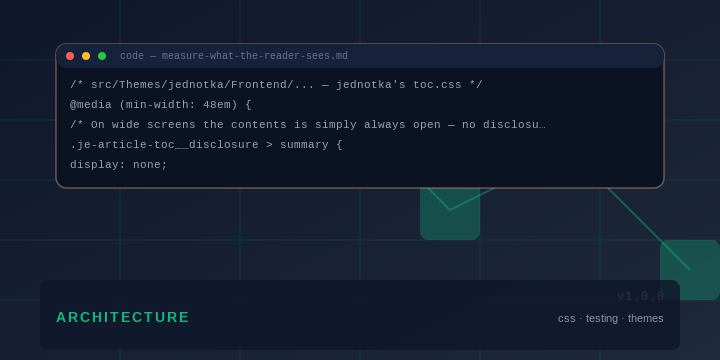
/* src/Themes/jednotka/Frontend/... — jednotka's toc.css */
@media (min-width: 48em) {
  /* On wide screens the contents is simply always open — no disclosure. */
  .je-article-toc__disclosure > summary {
    display: none;
  }
}
The exact query meant to make the strip permanent removed the handle you would have used to open it. What was left was two pixels of rule.
The second bug is less fun but just as invisible to the source. The token --je-rail was 4.5rem, and it measured the width of a layout the theme no longer has. When that layout went, the token stayed, and the rule moved 48px inside the text column. The token remained in the file, one CSS line read it, and nobody sat down and asked whether it still measures anything.
The third one is the funniest, because of where it came from. comments.css is generated in this theme from starter's copy, prefix-stamped. It carried starter's measure along:
/* Frontend/packages/jednotka/src/comments.css — generated from starter */
--comments-width: 720px;
Jednotka's measure is 34rem, which is 544px. So the comments arrived 176px wider than the text they belong to. And the fix that looked right did nothing:
.je-comments {
  max-width: var(--je-measure);
}
One class has the same specificity as the generated rule, which is in the file later, so the generated rule won. This is a property of CSS worth saying out loud: a rule that comes later wins the tie. The fix had to carry two classes.
A rect does not know what is visible
I got it wrong myself while writing the first check. I wrote the assertion about the collapsed strip as "the list has zero height, the strip is closed".
And it was not true.
A closed <details> in Chrome does not collapse its children's geometry.
The content is skipped when painting, not when measuring, so a link keeps a rectangle 25px tall, readable, with a non-zero width, and is not on screen. So a rectangle does not answer "is it visible?", and the same measurement does not answer the opposite question either.
The difference is visible on one page:
| Question | What to read | What it returns |
|---|---|---|
| Is it on screen? | Element.checkVisibility() | false for the closed strip |
| Where does it sit? | getBoundingClientRect() | a rectangle that is completely true and completely misleading |
| Did it give space back? | the first heading's position before and after | 382.6px, the flow really closes |
The third row matters. The strip does close, but if it had kept 380px of blank paper, the attribute assertion would have stayed green ... and the reader would have got a worse page than before, with a clickable strip on top. So the check measures the movement of the text, not the presence of an attribute.
The green run that tested nothing
I am writing this part because it cost me the most and because it is the most valuable lesson in the whole piece.
I wrote the check, ran it, and got 21 of 21 green. Then I undid the fix to check whether the test knows how to fail. I put the <details> back into its closed state and ran it again.
Green. 21 of 21.
The fix was not there. I had removed the open attribute from JednotkaRenderer.php in the working tree about a minute earlier, but PHP keeps compiled bytecode in OPcache and opcache.revalidate_freq is 180 seconds on this kit. The server was cheerfully serving the old file. The check was not green because it is right. It was green because it was running against a file that no longer exists.
| Step | What I expected | What happened |
|---|---|---|
| undo the fix, run the check | red | green |
| restart the server, run the check | red | red, 3 failures |
Once I knew that, I asked the question every test in this repo should be asked:
what would this test miss? The answer to it is precisely the red run.
So I undid the three fixes one by one, and the check caught all three:
| Undone fix | What the check printed |
|---|---|
open from the attributes | {"open":false,"h":0} |
the rule back at 4.5rem | gap: -48 |
the one-class .je-comments | 720 against 544 |
The third row interested me most. The comments' left edge was correct both times, so the position assertion passed. Only the width one caught it. One of those two measurements would have missed the fix.
When this does not apply
The honest part, without which this article would be an advertisement.
First: this is not a reason to write fifteen more scripts. Each one costs a server, a seeded database and Chrome. A check has to find its own bug first and then show that it really catches it.
Second: the PHPUnit tests and the CSS audits did their job.BuildCssAuditTest proved that --je-rail was a dead token, and ThemeModuleContractTest proved that the strip is open in the markup. Both should have caught it on the first run. This is not an argument against them ...
it is an argument that they cover a different layer than the screen does.
Third, and most important: the claim "CSS cannot open a <details>" is true for Chrome and for the browser we measure in. It is not a platform-independent rule, so do not pretend it is. Which is exactly why the strip ships open and only gets collapsed by script.
In practice
- Measure painting, not layout. If you are asking "is it visible?",
checkVisibility() is the first answer. A rectangle tells you where something lies, not whether it is on screen.
- Undo every new check. Revert the fix and run it again. If it stays green,
you do not have a test, you have the idea of one. And restart the PHP server first, because OPcache holds for three minutes.
- When a gate cannot see, add a gate with another tool. Not because the old
one failed, but because those bugs live in a layer it cannot reach.
Sources
- MDN,
<details>and::details-content: why CSS cannot open a closed disclosure's slot - MDN,
Element.checkVisibility(): measuring painting instead of geometry - Chrome DevTools Protocol: how the
bin/*-check.mjsscripts talk to the browser - PHP Manual, OPcache:
opcache.revalidate_freqand why you are running against old code - Nativa Minimal Documentation: the official guide
Comments (0)
No comments yet — be the first to react.