
 · Nativa Dev
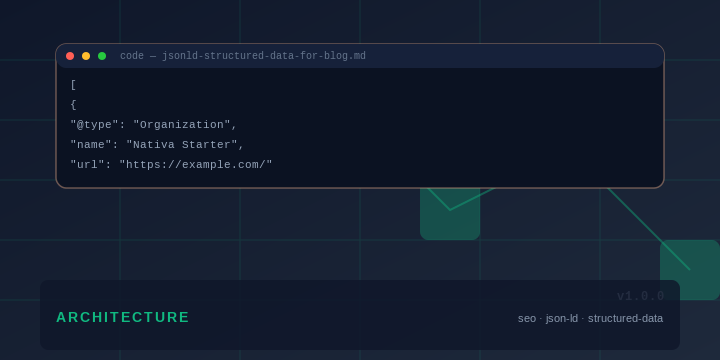
JSON-LD Structured Data for Blog: Article, BreadcrumbList, Person
A blog article publishes. Google indexes it. No stars, no breadcrumb, no rich result. The page has a problem, it looks naked in search results without structured data.
What We Generate
Structured data helps Google understand page content. Thanks to them, rich results appear in SERPs, stars, images, breadcrumb navigation.
Homepage: Organization + WebSite + SearchAction
[
  {
    "@type": "Organization",
    "name": "Nativa Starter",
    "url": "https://example.com/"
  },
  {
    "@type": "WebSite",
    "name": "Nativa Starter",
    "url": "https://example.com/",
    "potentialAction": {
      "@type": "SearchAction",
      "target": {
        "@type": "EntryPoint",
        "urlTemplate": "https://example.com/blog?q={search_term_string}"
      }
    }
  }
]
Google can display a search box directly in SERPs.
Article: Article + BreadcrumbList
[
  {
    "@type": "Article",
    "headline": "How We Built sitemap.xml",
    "datePublished": "2026-09-01",
    "author": {"@type": "Person", "name": "Nativa Dev"},
    "publisher": {"@type": "Organization", "name": "Nativa Starter"},
    "image": "https://example.com/storage/blog-images/cover.jpg"
  },
  {
    "@type": "BreadcrumbList",
    "itemListElement": [
      {"@type": "ListItem", "position": 1, "name": "Blog", "item": "https://example.com/blog"},
      {"@type": "ListItem", "position": 2, "name": "How We Built sitemap.xml"}
    ]
  }
]
Google displays breadcrumbs below the article title in SERPs.
Author Profile: Person
{
  "@type": "Person",
  "name": "Eva Autor",
  "url": "https://example.com/authors/u1"
}
Implementation
final class StructuredDataService
{
    public static function article(
        string $title,
        string $description,
        string $url,
        string $published,
        ?string $image,
        string $authorName,
        string $siteName,
    ): string {
        $article = [
            '@context'         => 'https://schema.org',
            '@type'            => 'Article',
            'headline'         => $title,
            'datePublished'    => $published,
            'author'           => ['@type' => 'Person', 'name' => $authorName],
            'publisher'        => ['@type' => 'Organization', 'name' => $siteName],
        ];

        // BreadcrumbList
        $blogUrl = substr($url, 0, strrpos($url, '/'));
        $breadcrumb = [
            '@type'           => 'BreadcrumbList',
            'itemListElement' => [
                ['@type' => 'ListItem', 'position' => 1, 'name' => 'Blog', 'item' => $blogUrl],
                ['@type' => 'ListItem', 'position' => 2, 'name' => $title],
            ],
        ];

        return self::encode([$article, $breadcrumb]);
    }
}
Security: JSON_HEX_TAG
json_encode($data, JSON_HEX_TAG | JSON_HEX_AMP | JSON_HEX_APOS | JSON_HEX_QUOT);JSON_HEX_TAG ensures that </script> in user values never breaks the JSON block, XSS-safe by design.
Integration with FrontendLayout
FrontendLayout::render(
    'Blog',
    $content,
    structuredData: StructuredDataService::article(...),
);
JSON-LD is inserted into <script type="application/ld+json"> in <head>.
Tests
public function testArticlePageIncludesJsonLd(): void
{
    $html = (new BlogArticleAction())->handle(...)->getContent();

    self::assertStringContainsString('application/ld+json', $html);
    self::assertStringContainsString('"@type":"Article"', $html);
    self::assertStringContainsString('"@type":"BreadcrumbList"', $html);
}
The solution was three JSON-LD blocks built by StructuredDataService. We replaced manual schema markup with a service that reads article metadata. One test per block.
JSON-LD remains the simplest rich result contract, just not one you should skip. When you know what Google needs to understand, the schema writes itself. The next person who adds an article should not have to guess which structured data is required.
→ How we built the sitemap: dynamic XML sitemap with hreflang → Robots.txt what we hide: the allow-list behind Disallow → CSP & htmx interaction: when security meets the frontend
Comments (0)
No comments yet — be the first to react.